
Hi, I’m Anit Shakya. I regularly test new AI Photo Editing Prompts and share practical prompt ideas that anyone can copy and use. Over the last few months, I have experimented with dozens of ChatGPT Prompt for Photo Editing ideas to see which ones actually create realistic and eye-catching results. Honestly, some prompts gave average outputs while others completely transformed a normal photo into something that looked like a professional photoshoot.
If you want to create cinematic portraits, stylish Instagram DP photos, or high-quality professional edits without spending hours in Photoshop, the right AI Editing Prompt can make a huge difference. I tested many trending prompt styles inspired by social media creators, Pinterest aesthetics, and viral AI editing trends to find what works best.
In this guide, I’ll share some of the best ChatGPT Prompt for Photo Editing examples along with useful tips that can help you generate better images with ChatGPT and Gemini AI. Whether you are a beginner or already creating AI-generated photos, these AI Photo Editing Prompts can help you achieve more realistic and professional-looking results with minimal effort.
Best ChatGPT Prompts for Photo Editing
Some prompts consistently deliver great results. In general, the “best” ChatGPT prompts for photo editing are those that clearly describe what to keep and what to change, plus any style you want. For example, a prompt might say: “Keep my face exactly the same. Change the background to a vivid blue sky, and adjust the colors to give it a warm, summery feel in 4K ultra-realistic quality.” Experts note that a good prompt often includes the unchanged elements (like “face” or “pose”), the edits (“smooth skin, remove blemishes, add studio lighting”), and quality/style cues (“cinematic, ultra HD, sharp focus”).
Popular categories of prompts include old photo restoration (e.g. “remove scratches and add realistic color to make this vintage photo look modern”), creative portraits (like adding dramatic lighting or makeup), and themed edits (such as a birthday scene with candles and cake). For example, one trending idea is to combine two images into a single memory collage (like “make a Polaroid-style photo of me hugging my younger self with soft nostalgic colors”). Another favorite is making a retro or cinematic edit (“apply a vintage film grain” or “make it look like a classic 90s movie still”). The key is that these prompts are detailed and imaginative. By practicing with these themes and including specifics in your prompt, you can reliably get polished, creative edits. As eWeek points out, tools like Gemini (and by extension ChatGPT) can follow “complex creative instructions” – so feel free to be as colorful and precise as you like!
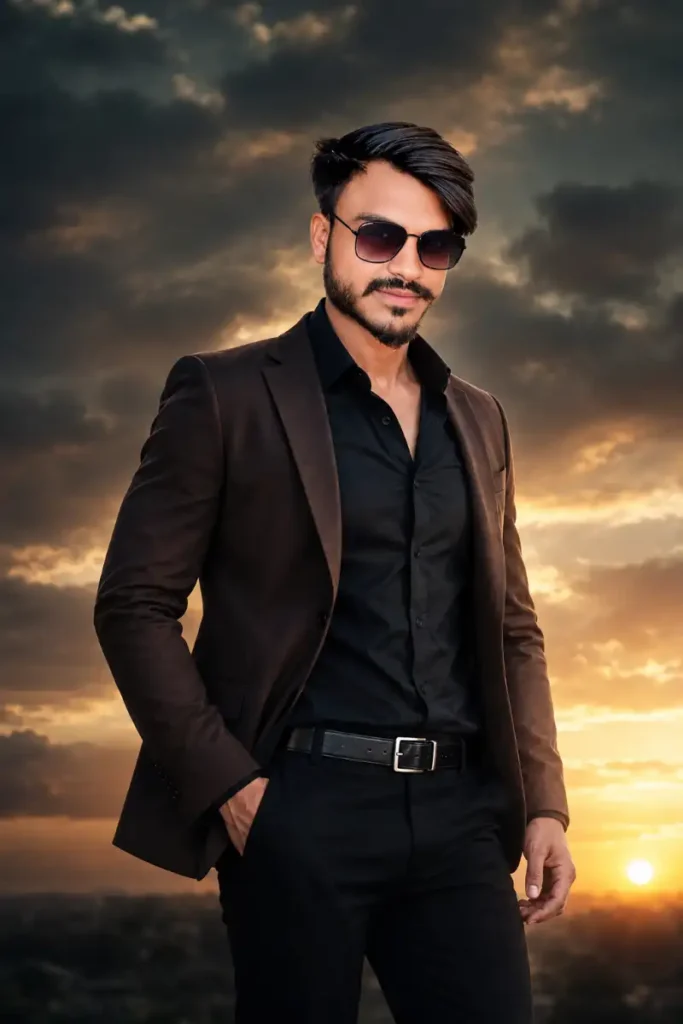
ChatGPT Prompt for Photo Editing – Ultra Realistic Cinematic Movie Poster
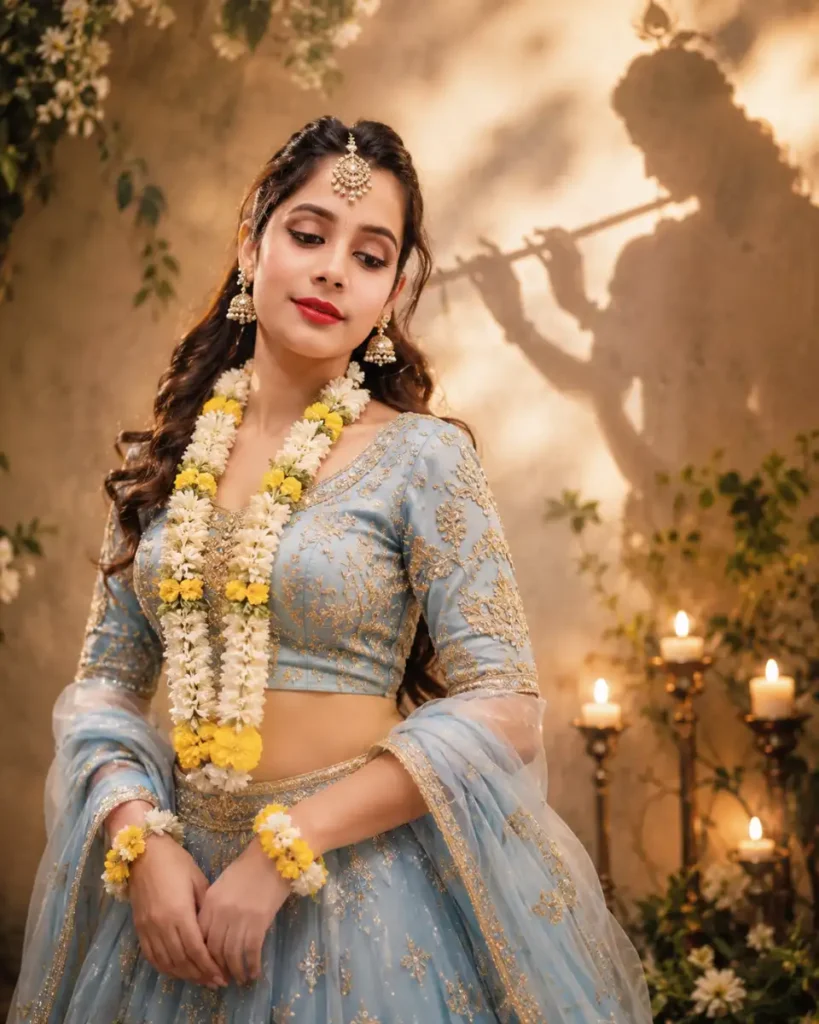
ChatGPT Prompt for Photo Editing – Elegant Traditional Portrait with Cinematic Festive Mood
Cinematic Photo Editing Prompts
To achieve a cinematic look, your prompts should focus on dramatic lighting and color grading. For example, one proven strategy is to apply a teal-and-orange color grade: “Push the shadows toward cool teal, keep the skin warm and orange, add gentle contrast, and finish with a soft vignette for a filmic fade”. This gives your photo a blockbuster, movie-still vibe. Another approach is a warm 35mm film style: “Add the creamy golden tones of Kodak Portra 400, slight grain, and gentle highlight roll-off to mimic old analog film”. Or try a moody, desaturated edit: “Deepen shadows, desaturate overall colors except for one accent (like a red coat), introduce cool blue midtones, and a soft vignette for an editorial feel”. In general, words like cinematic, dramatic, soft film grain, and vignette work well. You can say things like “make this portrait look like a still from a high-budget film: cinematic lighting, shallow depth of field, rich teal-and-orange hues.” These cinematic AI prompts tell the model to treat the image like a movie scene, and usually result in deep colors and polished detail.
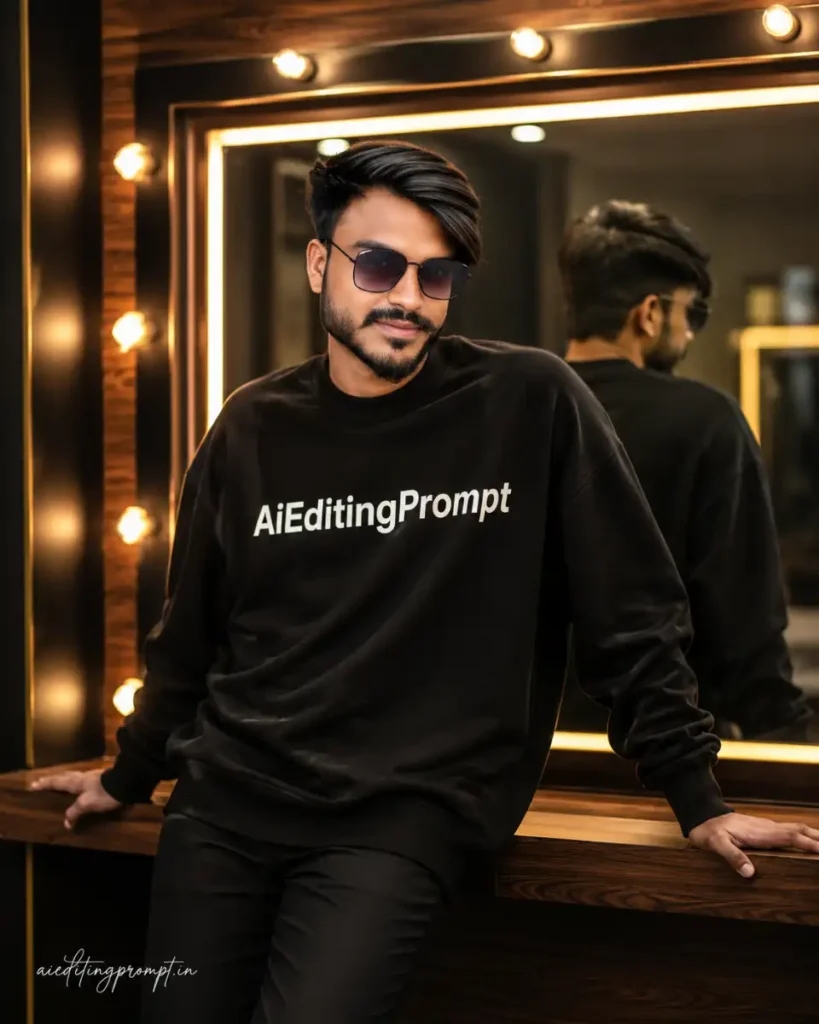
Professional Portrait Editing Prompts
Professional portrait prompts aim for a clean, polished result — think LinkedIn or magazine style. A classic example is “Headshot Polish”: “Turn this into a LinkedIn-ready headshot. Brighten and balance the exposure, add a soft key light on the face, whiten teeth and eyes gently, tidy up stray hairs, and sharpen the eyes, while keeping my identity and expression exactly unchanged”. This gives a crisp, professional look. Other tips include specifying studio lighting (“relight with flattering studio lights”), neutral or solid color backgrounds, and subtle blemish removal. For instance, a prompt could be: “Relight the image with soft studio lighting at 45 degrees, warm skin tones, and remove minor blemishes so it looks clean and professional.” Another helpful prompt element is to explicitly “keep my clothing and expression unchanged” so the AI doesn’t accidentally alter your outfit or face identity. In short, professional portrait prompts should mention studio-like lighting, skin smoothing, teeth brightening, and maintaining natural realism. This way, the AI transforms a casual snap into a high-quality professional portrait.
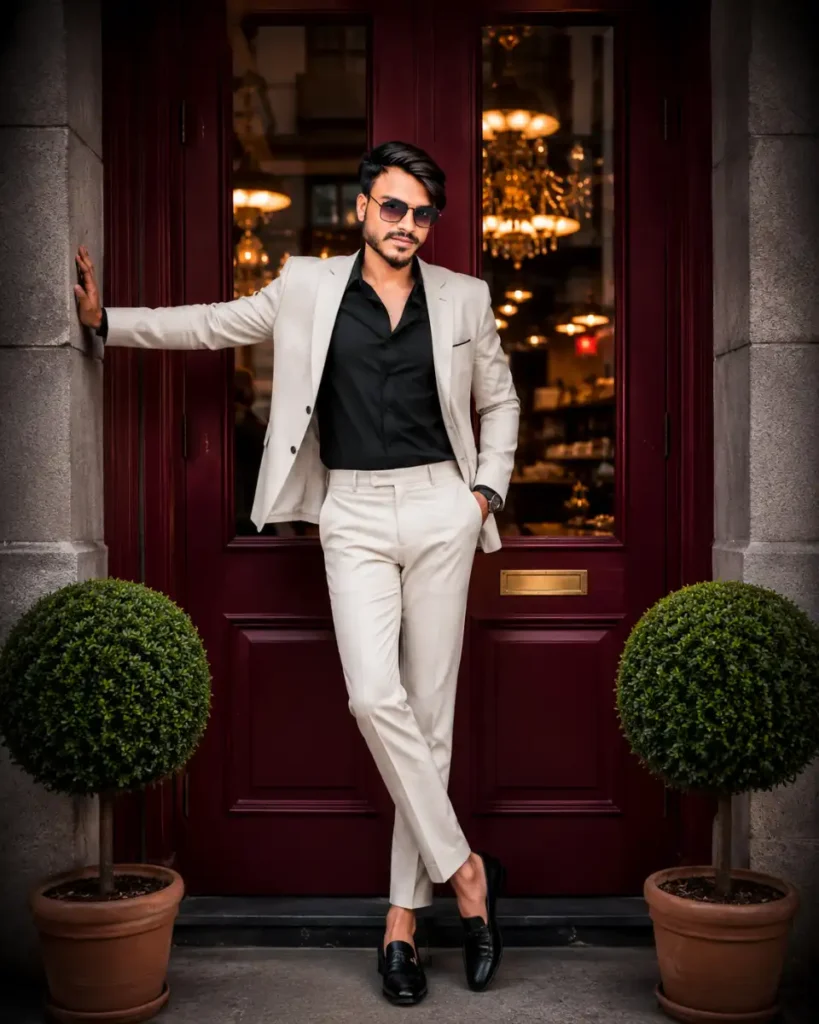
Instagram DP AI Editing Prompts
For Instagram profile pictures (DP = display picture), prompts often emphasize face quality and trendy looks. An Instagram DP prompt might say: “Create a bright, clean headshot for social media. Smooth the skin, brighten the eyes, use soft pastel tones in the background, and add a subtle filter (like a warm glow or mild vignette) to make it pop.” These prompts focus on a sharp, eye-catching face in the center. The media.io guide highlights that ChatGPT can turn images into Instagram-style visuals with effects like “neon glow, flash filter, or aesthetic finishes”. You can specifically mention popular Instagram filters (e.g. “apply a gentle flash filter with high exposure”) or simply describe the vibe (“light and airy style popular on Instagram”). The goal is usually a polished look that’s colorful but not overdone. For example: “Enhance this selfie for Instagram: brighten the lighting, apply a soft skin retouch, give it a slightly pink pastel background, and make the colors vibrant.” By using the phrase Instagram DP prompts, you’re hinting that the image should follow social media trends. Remember: keep the face natural, make the eyes sparkle, and avoid harsh shadows so the result feels friendly and share-worthy.
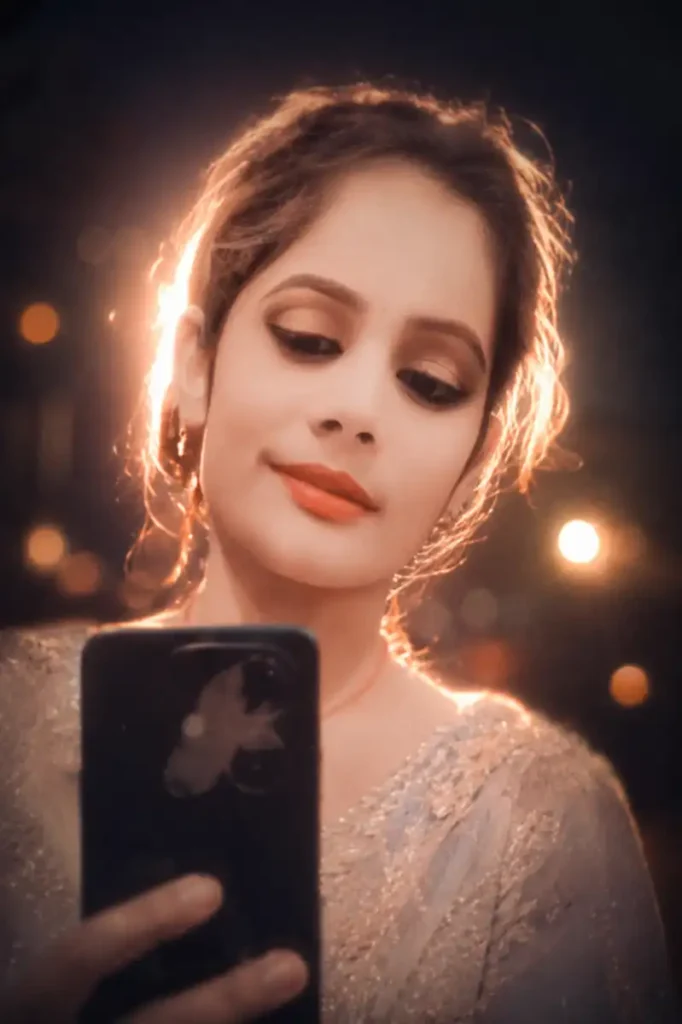
What Is a ChatGPT Prompt for Photo Editing?
A ChatGPT prompt for photo editing is simply a detailed text instruction that you write to tell an AI how to modify your photo. For example, you might write: “Enhance this portrait by brightening the subject’s face, smoothing out blemishes, and adding a warm sunset glow in the background.” According to experts, it’s like having ChatGPT as your personal prompt engineer: the better you describe what to keep (like the face or pose) and what to change (like the background color, lighting, or mood), the better the AI can perform. In practice, ChatGPT itself doesn’t directly edit the pixels. Instead, it can help craft precise, human-like instructions (prompts) that either you paste into a dedicated AI photo editor or that feed into ChatGPT’s own image editing feature. In short, a good photo editing prompt tells the AI which parts of the image to preserve and which parts to stylize, often including style cues like “cinematic,” “vintage,” or “4K ultra-realistic” to get the desired effect.
How AI Photo Editing Prompts Work
AI image editing relies on the words you type. Essentially, the prompt becomes a recipe for the AI. As one article points out, getting exactly the image you imagined “doesn’t require expensive software anymore — it requires the right words”. When you enter a prompt, the AI (such as a model like GPT-4 Vision or Gemini) interprets your language and applies changes to the photo. For example, you can upload an image to ChatGPT and then type a change request like “make the background blurry” or “add lens flare.” ChatGPT’s image editor will then process the image and return a new version. The clearer and more specific your instructions, the higher the quality of the edit. It’s important to mention details like mood, color palette, lighting, and even camera aspects (e.g. “shot in 8K, soft focus”). ChatGPT will follow these cues, adjusting the photo pixel by pixel. In practice, using these AI editing prompts is usually fast: tools like Google’s Gemini AI can often render edits in just 20–30 seconds, while ChatGPT’s advanced models may take a minute or more to complete complex changes. Overall, the process is iterative and user-friendly: describe what you want, let the AI generate, then refine if needed.
Common Mistakes While Writing AI Prompts
Even with a smart AI, vague or confusing prompts can lead to bad edits. Here are some pitfalls to avoid:
- Too vague or too long: A very short prompt like “make it beautiful” is ambiguous, while an overly long prompt with conflicting instructions can confuse the model. Aim for a clear, focused sentence.
- Not specifying key elements: Forgetting to say what to keep unchanged often results in weird edits. Always tell the AI which parts of the image (like the face or a product) must stay the same.
- Contradictory details: Don’t ask the AI to do opposite things (e.g., “make background dark blue” and “add warm sunlight”). If the instructions conflict, the AI will struggle.
- Missing style clues: Failing to mention the style, mood, or quality (like “cinematic”, “vintage”, “4K”) can give bland results. Use descriptive words.
- Forgetting composition notes: If you need a portrait (head above shoulders) vs. a full-body shot, say so. Also mention if the image is a profile or front view.
- Overlooking grammar/clarity: Simple, well-structured sentences work best. Don’t assume the AI can read your mind—spelling out each detail helps.
By avoiding these mistakes, your AI editing prompts will be much more effective and get you the results you want.
ChatGPT vs Gemini for Photo Editing
Google’s Gemini AI and OpenAI’s ChatGPT both have image-editing features, but they behave a bit differently. In tests, Gemini proved to be much faster at editing: it often produced results in 20–30 seconds, while ChatGPT (GPT-4 with Vision) can take a minute or more on the same task. Importantly, Gemini tended to “only change what was asked” and did so very accurately. For example, if you said “add a soft glow,” Gemini applied just that, leaving other aspects exactly the same. This makes Gemini great for quick edits where you want precise changes. ChatGPT, on the other hand, sometimes needed more back-and-forth. However, if you’re patient and refine your prompts, ChatGPT can produce slightly richer, higher-quality imagery. As one review noted: “Gemini’s image edits were fast and accurate… ChatGPT takes way longer… ChatGPT’s overall image quality is higher than Gemini’s, but that only matters if you have patience and if ChatGPT gets it right the first time.”. In practice, you might choose Gemini for quick fixes, and use ChatGPT when you want the absolute best polish (and are willing to iterate).
FAQs
Q: Do I need a special account to use ChatGPT for image editing?
A: The new ChatGPT image tools are available even on free accounts, so you can try basic photo edits with ChatGPT 4.0. Some advanced features (like in-chat “thinking” or extra fast generation) may require a ChatGPT Plus subscription, but the core image-editing feature works without it.
Q: How do I preserve my face or identity in the prompt?
A: Always mention “keep the face exactly as is” or “no changes to expression or identity.” The best prompts explicitly say that the subject’s features and expression must not alter. This prevents the AI from accidentally changing your appearance.
Q: What exactly is an Instagram DP prompt?
A: “Instagram DP” means profile picture. An Instagram DP prompt directs the AI to make a cool, trendy profile photo. For example: “Create a crisp Instagram profile shot: center the face, smooth skin, brighten eyes, and add a soft pink pastel background filter.”
Q: Can Gemini handle the same photo editing prompts?
A: Yes. Gemini AI responds to similar text prompts. The phrasing might be slightly different, but the idea is the same. A Gemini AI photo editing prompt works like a ChatGPT prompt: you describe the edits you want. For example, telling Gemini to “apply cinematic color grading” or “retouch skin” would work much like with ChatGPT.
Q: What’s a cinematic AI prompt?
A: A cinematic AI prompt is a prompt that asks for movie-like edits (for example, “add cinematic lighting, teal-orange tones, and film grain”). These prompts give your photo a dramatic, filmic look by specifying color styles and mood.
Conclusion
ChatGPT Prompts for Photo Editing ChatGPT (and similar tools) have transformed photo editing into a text-driven process. By using clear, imaginative prompts, you can turn ordinary images into polished, share-worthy photos. Remember: detail matters. Tell the AI exactly what to keep, what to change, and include style cues like “cinematic,” “professional,” or “Instagram-friendly.” We’ve covered many examples—from cinematic color grades to Instagram DP tweaks to polished portraits—so you can pick prompts that match your style. The more precise and creative your prompt, the more the AI can deliver a stunning result. Give these ideas a try and have fun experimenting. In no time, even complex edits will feel as easy as writing a friendly note to an expert editor. Happy editing!


