
Hi, I’m Anit Shakya. I regularly test new AI Photo Editing Prompts and share practical prompt ideas that anyone can copy and use. Over the last few months, I have experimented with dozens of ChatGPT Prompt for Photo Editing ideas In today’s social media world, your Instagram profile picture speaks volumes. A polished PFP (profile picture) can define your identity online. That’s where Instagram viral PFP AI photo editing prompts come in – they let anyone turn a plain selfie into a standout, magazine-style portrait. These prompts are detailed text instructions fed into AI image tools (like ChatGPT or Google Gemini) to edit or recreate your photo. With the right prompt, you keep your face the same but get a dramatic new background, lighting, and vibe. We’ll show why a great profile photo matters, how AI can completely transform a normal picture, and how you can use ChatGPT or Google’s Gemini to make your own viral-worthy profile image.
Why Is The Profile Picture So Important, After All?
People scroll fast, so your profile picture is often the first thing they notice. A striking image grabs attention and makes your profile memorable. For example, one expert notes: “Whenever someone opens your Instagram… the first thing they see is your picture. A good image ensures you make a great impression.”. In other words, a high-quality PFP can be like a friendly handshake – it defines how viewers perceive you. That’s why users now look beyond simple selfies. They want dynamic, professional-looking portraits that stand out in the feed. The colors, lighting, and composition in a viral AI-edited photo catch the eye and give a polished, professional vibe. In short, a great profile picture isn’t just decoration – it’s a key part of your online identity.
Top 10 Instagram Viral PFP AI Photo Editing Prompts
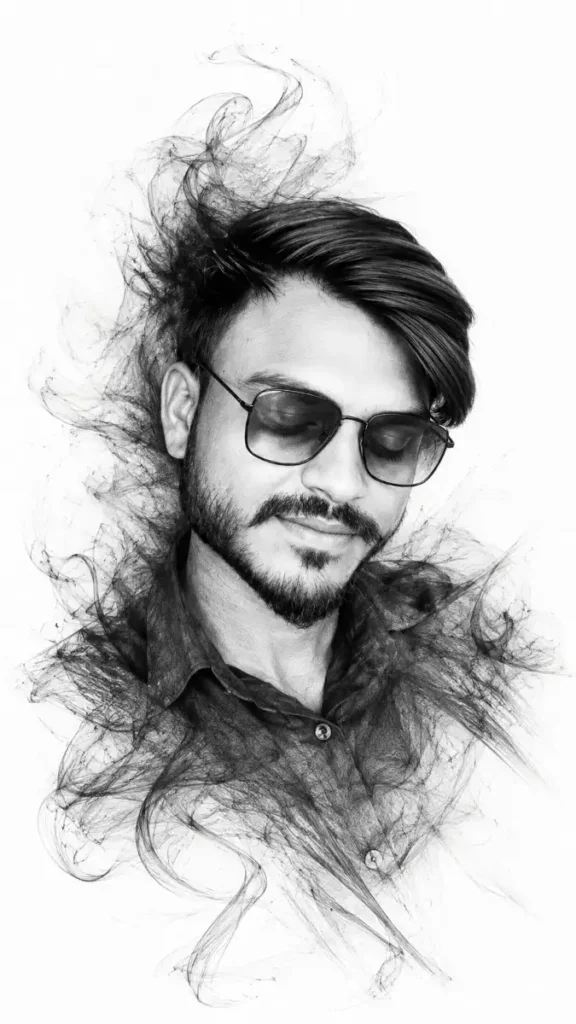
Instagram Viral PFP AI Photo Editing Prompts – Ultra Realistic Graphite Pencil Portrait
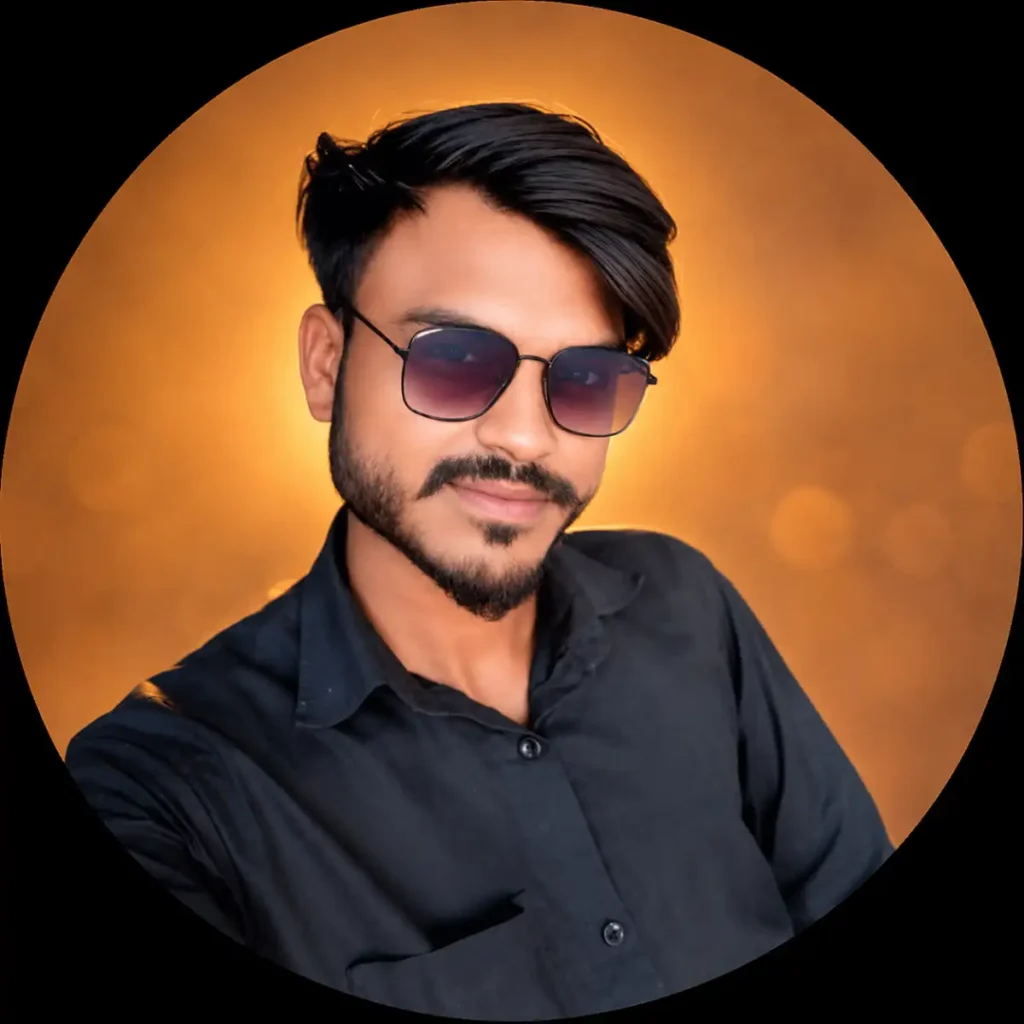
Instagram Viral PFP AI Photo Editing Prompt – Premium Cinematic Studio Profile Portrait
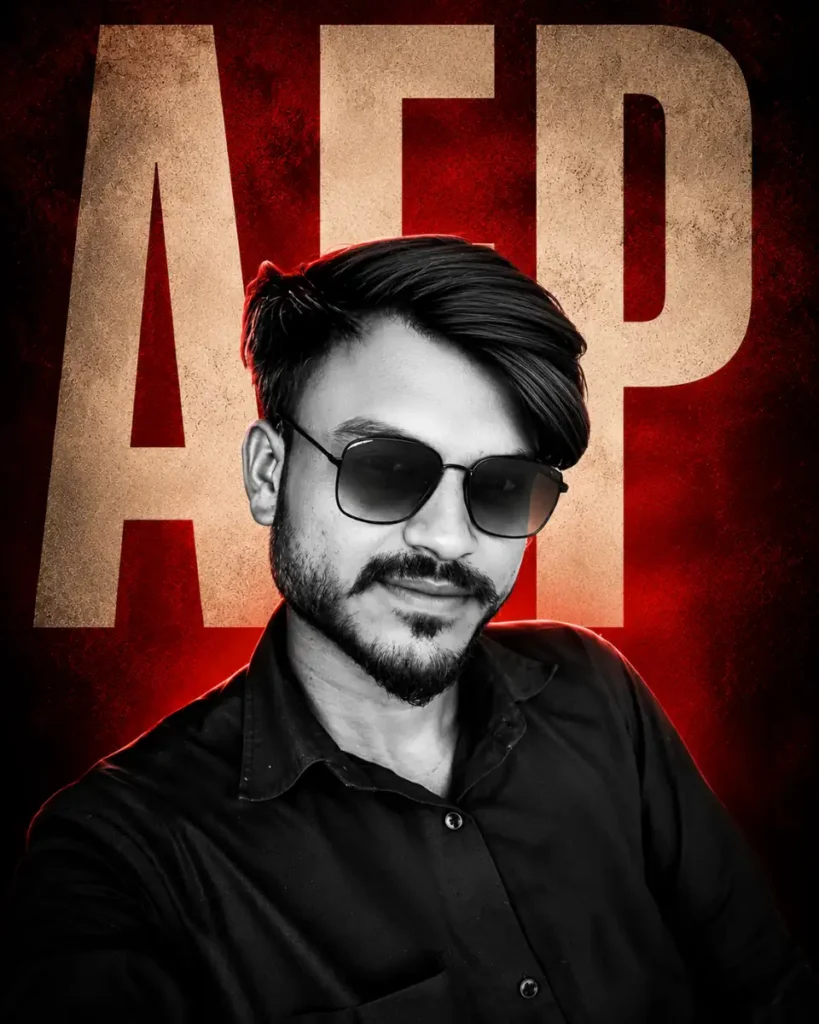
Instagram Viral PFP AI Photo Editing Prompt – Luxury Cinematic Black & White Editorial Poster
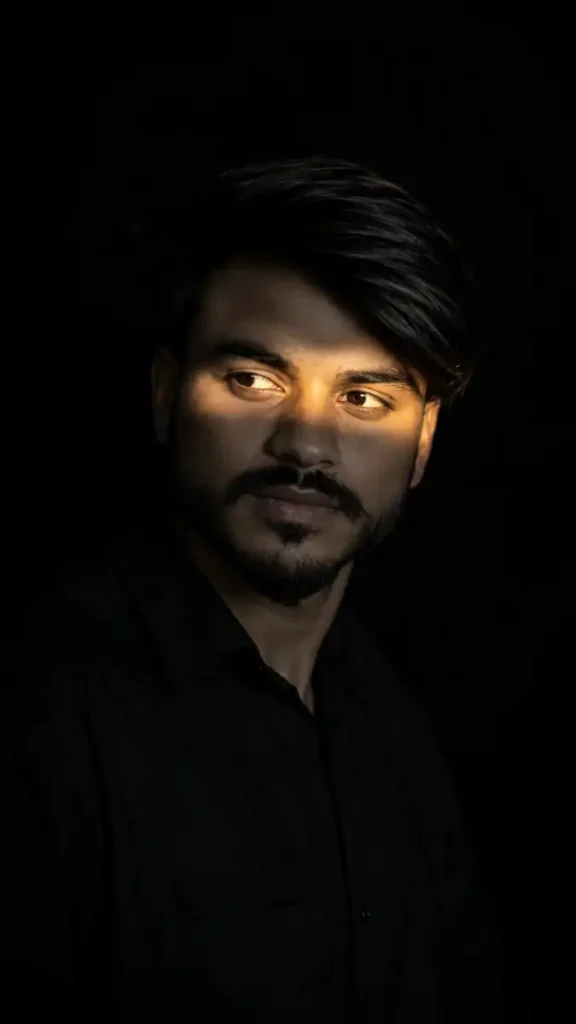
Instagram Viral PFP AI Photo Editing Prompt – Black & Gold Cinematic Portrait
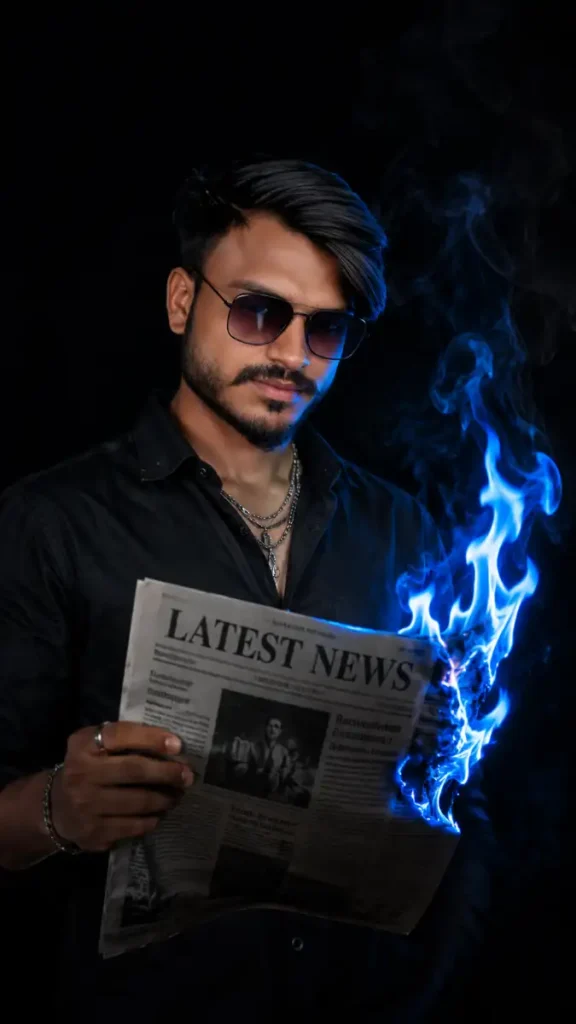
Instagram Viral PFP AI Photo Editing Prompt – Burning Newspaper Cinematic Portrait
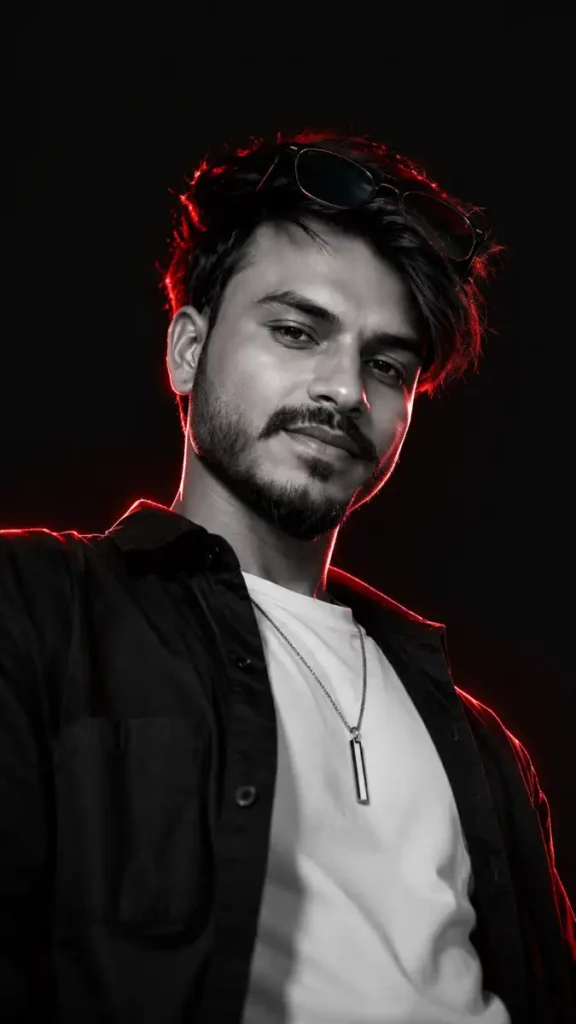
Instagram Viral PFP AI Photo Editing Prompt – Cinematic Monochrome Streetwear Portrait
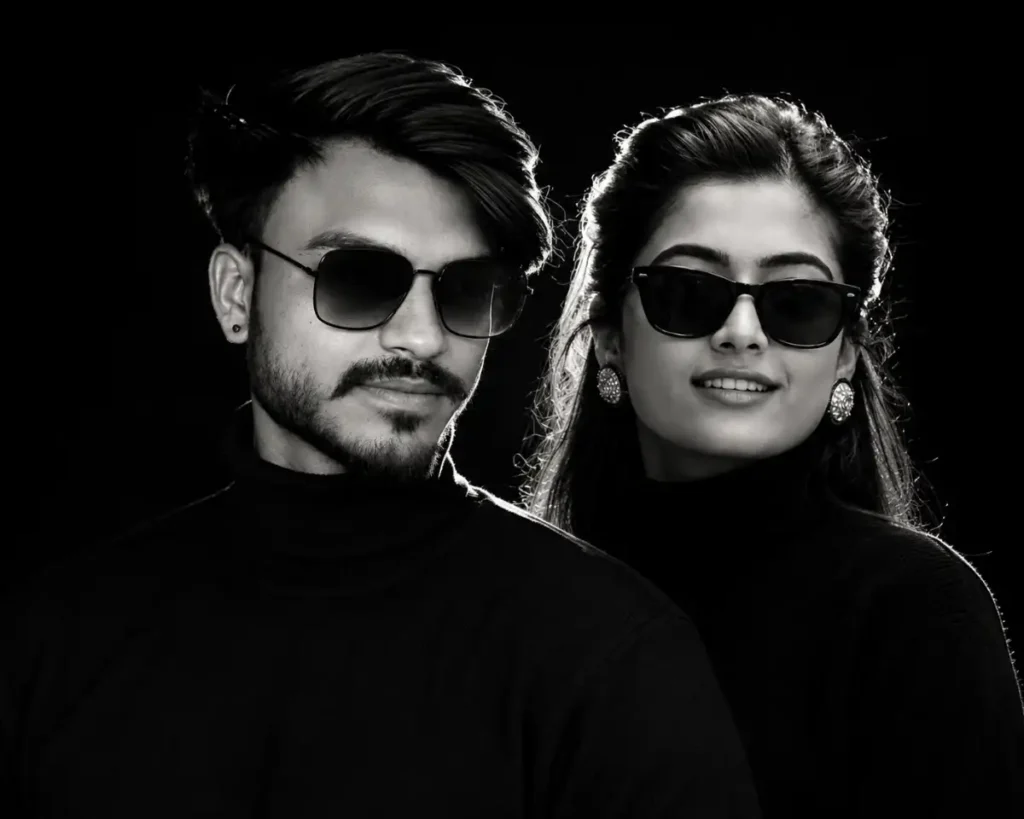
Instagram Viral PFP AI Photo Editing Prompt – Luxury Black & White Dual Portrait
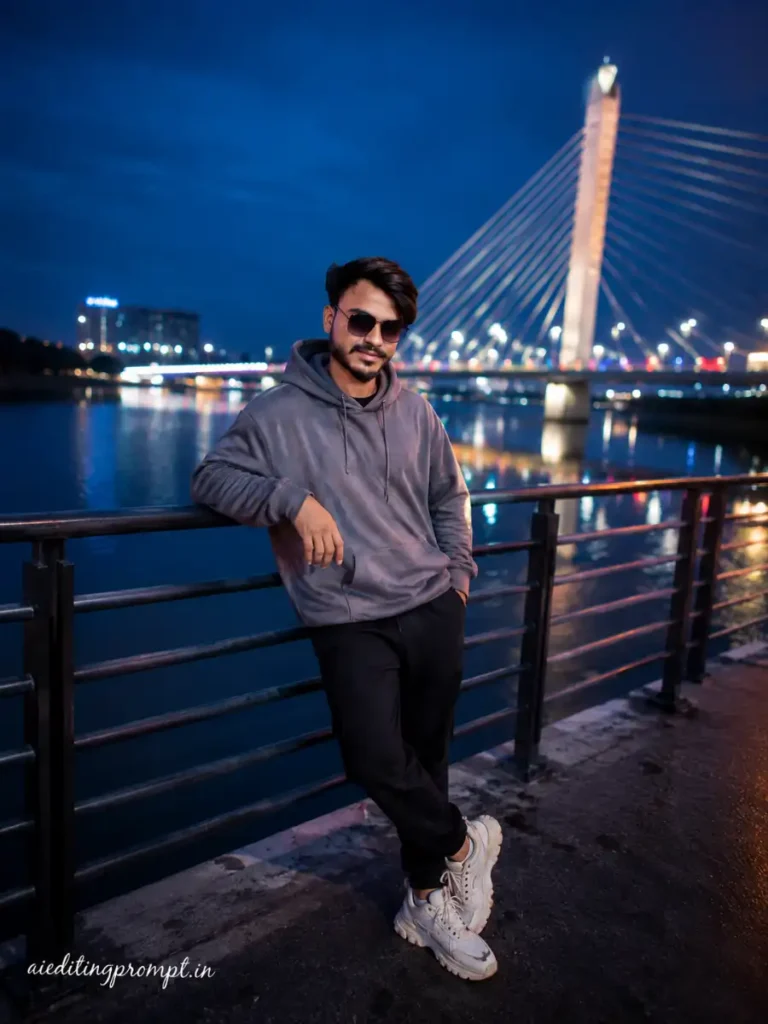
Instagram Viral PFP AI Photo Editing Prompt – Cinematic Blue Hour Bridge Portrait (Hyderabad)
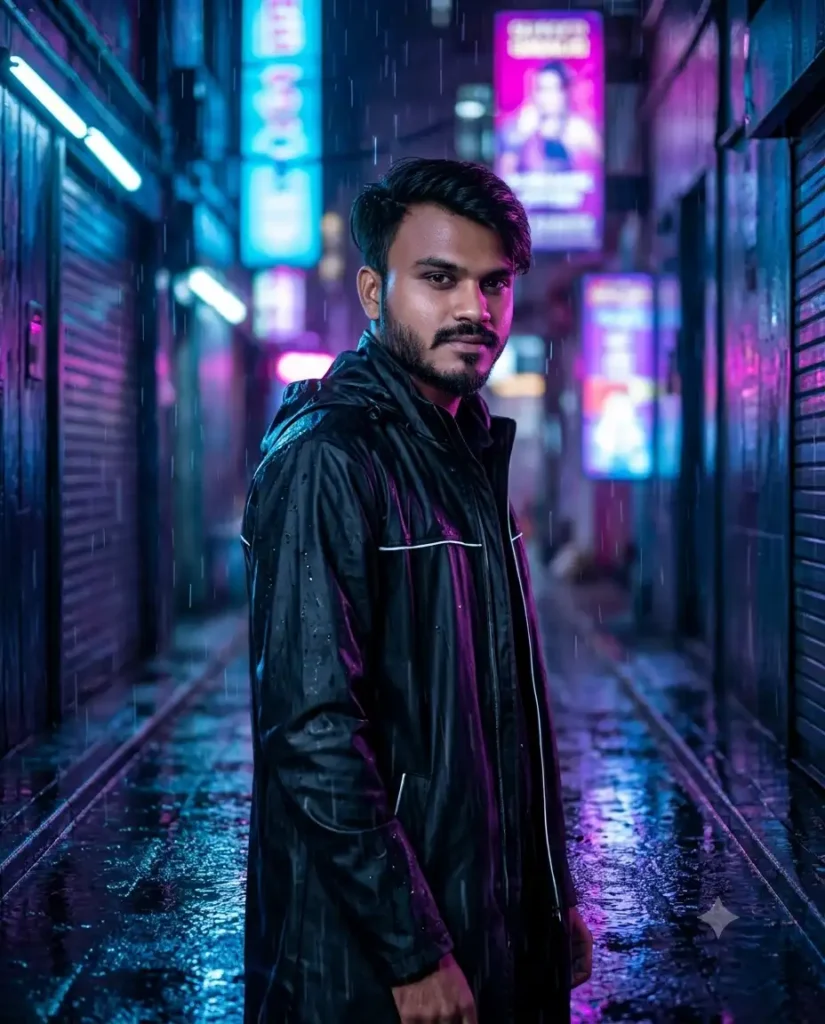
Instagram Viral PFP AI Photo Editing Prompt – Neon Rain Cyber Street Portrait
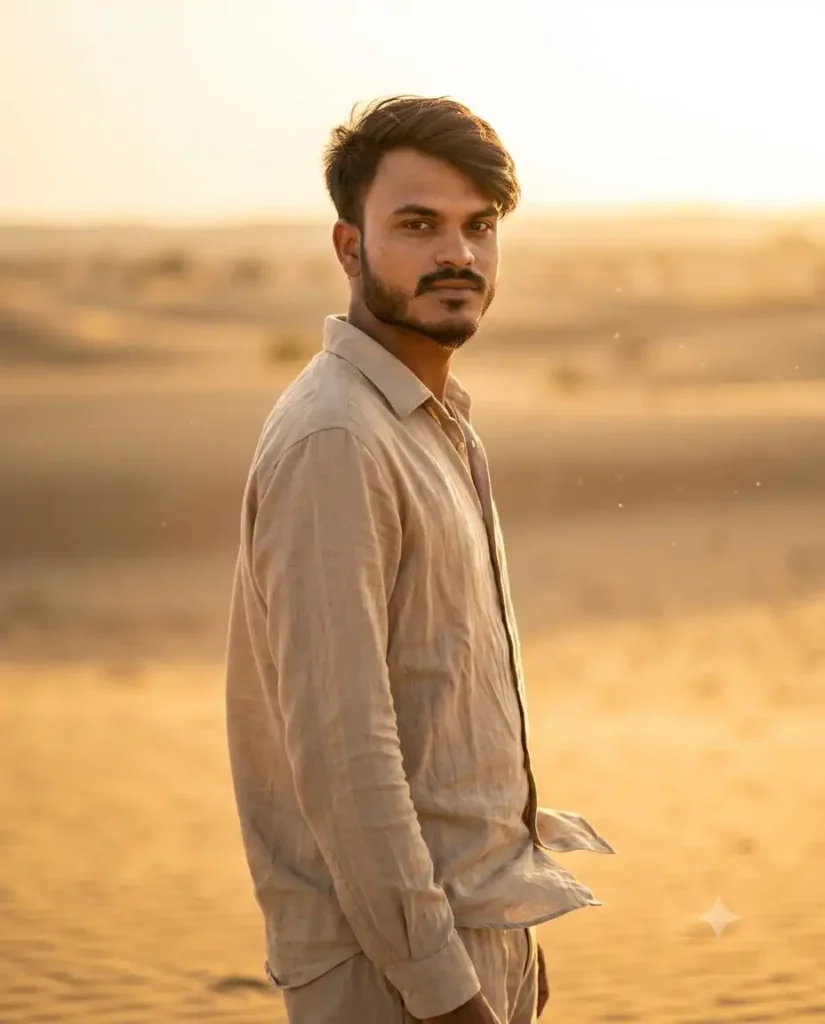
Instagram Viral PFP AI Photo Editing Prompt – Golden Desert Luxury Portrait
How Does It Transform An Ordinary Photo?
Think of an average photo on your phone – maybe a selfie in the living room. AI editing prompts can turn that into something entirely different, while keeping you recognizable. When you run your selfie through an AI with a creative prompt, the subject’s identity stays the same but everything else changes. The background might be replaced with a sleek studio setup or a scenic landscape, and the lighting is boosted to look flattering and cinematic. As one guide explains, after processing with AI “the face and identity remain the same, but other elements change. You will see a completely different background, and your skin tone will appear natural and enhanced. You get a premium-quality portrait.”. In other words, the AI keeps your face at 100% accuracy, but applies a professional style: polished skin, balanced tones, sharp focus on your eyes, and all the bells and whistles of editorial retouching. The result is a photo that looks far more striking than the ordinary original.
Details Of Instagram Viral PFP AI Photo Editing Prompts
A warm, cinematic style like golden-hour lighting is a common trend. The AI prompt might say “soft glowing sunlight on the subject, rich warm tones, natural expression,” giving a cozy editorial look as in the example above. Current viral styles generally fall into a few categories. Some people favor studio-style portraits – subjects against a clean black or white background with dramatic lighting. Others choose a moody aesthetic, using tinted color tones or dramatic shadows. There are also luxury-style edits that look high-fashion, with fine-art touches, and minimalist looks that keep colors simple and focus on natural expressions. Each style has signature traits (like warm amber lights for golden-hour or crisp blacks for studio shots) that the AI prompt specifies. In practice, these prompts list out details like “black seamless background” or “moody blue tint” or “luxury editorial lighting” to guide the edit. The right prompt lets the AI transform your photo to fit one of these trendy themes.
Why Are ChatGPT Photo Prompts Becoming So Popular?
The magic is that you don’t need to be a Photoshop expert. ChatGPT photo prompts are basically ready-made instructions that anyone can use. They’ve exploded in popularity because they let casual users achieve pro-level edits with just a few words. Essentially, someone writes a detailed description (prompt) of how the final image should look – things like lighting, background, mood, outfit and visual effects – and feeds it to an AI. A media guide explains, “A ChatGPT trending prompt is a ready-made text instruction used to generate popular AI image styles. These prompts often describe lighting, background, outfit, mood, camera style, and visual effects so AI can turn a normal photo into a viral-looking image.”. In other words, the prompt spells out exactly how to make the photo eye-catching. Because the community shares these prompts online, even beginners can copy them and get great results. As one writer puts it, these prompts “transform ordinary photos into stylized, high-end visuals” and the best part is anyone can use them. You don’t need a professional editor or fancy software – just the AI tool and a copied prompt. That ease of use (and the cool, viral results it produces) is why ChatGPT image prompts have become so trendy on Instagram and TikTok.
How To Create Image Using ChatGPT?
Getting started is simple. If you have access to ChatGPT’s image features (via DALL·E 3 or GPT-4o with vision), you can type or paste a prompt right into the chat. For example, you might paste the prompt you copied: “Professional cinematic portrait using the reference image, same exact face… clean studio lighting, ultra detailed…” (as in one example prompt above). ChatGPT will then generate or modify the photo accordingly. In practice, many people use a specific workflow: 1) Upload your photo (like a selfie) into an AI image tool. 2) Copy a prepared ChatGPT-style prompt describing the edit (for example: “neon glow cinematic portrait with soft girl aesthetic” as a recipe). 3) Paste that prompt into the tool and hit generate. The AI then creates the new image, and you can download the polished result.
ChatGPT in particular is integrated with DALL·E 3 now. This means ChatGPT can actually create images on its own. OpenAI notes that DALL·E 3 is “built natively on ChatGPT,” so you can treat ChatGPT as a brainstorm partner and image maker. You can literally ask ChatGPT: “Generate a cinematic Instagram profile photo of me in a forest with warm sunlight” and it will produce that image using DALL·E under the hood. If the first result isn’t perfect, you can ask ChatGPT for tweaks (like “make the trees more blurry” or “add a light leak effect”) and it will refine the output. In short, using ChatGPT to create your PFP is now like telling a story: give it details and it brings that vision to life. Even if you don’t use ChatGPT itself, many photo-editing apps and websites accept the same prompts – so you can copy prompts from chat into tools like Midjourney, Stable Diffusion or free web editors to get the final image.
What is Google Gemini AI Photo Editing?
Google has its own AI system called Gemini (formerly part of Google Bard). Like ChatGPT, Gemini can interpret text prompts to create or edit images. In fact, Google’s image model (often nicknamed Nano Banana) is integrated into the Gemini suite. This means you can use Gemini in a similar way: write a detailed prompt describing your desired profile picture, and Gemini will produce the edited image. The effect is much like what ChatGPT does. As one media guide puts it, using Google Gemini AI photo prompts lets “anyone create images that look like they came straight from a movie set – warm lighting, expressive poses, aesthetic backgrounds – all without any editing skills”. In practice, many prompt templates explicitly say “Google Gemini AI” or “Gemini prompt” to show they’re written for that system. For example, a Gemini prompt might produce a golden-hour beach portrait or a stylish studio shot on demand. Under the hood, Gemini’s Nano Banana model handles the generative magic, so the outcome is very realistic. The bottom line: Google’s Gemini is just another powerful AI tool for these viral PFP edits, and you can use its prompts on Google’s AI platform to get professional-looking profile photos (often by copying the same prompts you’d use with ChatGPT).
Process Of Realistic Editing
What makes these AI edits look realistic? The secret is in the prompt detail. A great editing prompt will specifically ask for lifelike textures and lighting. For instance, a prompt may instruct the AI to render “extremely realistic skin pores, natural facial texture… Preserve micro-contrast and high-frequency detail”. In other words, it tells the AI to keep every pore, hair strand, and shadow crisp. At the same time, most prompts include a negative prompt – a list of things to avoid. It might say “no cartoon, no CGI, no blurry eyes, no flat lighting, no artificial skin texture”. This explicitly blocks any cartoony or overly-smooth result. The AI then knows to steer clear of those and aim for a photo-like output. The result is often an 8K-quality image with natural glow and depth. Many editors also mention camera settings or lens style in prompts (like “85mm portrait lens, shallow depth of field, studio-quality sharpness”), which helps simulate a real camera shot. Altogether, a realistic editing prompt is almost like a photographer’s recipe: it lists lighting (e.g. soft window light), mood (moody, mysterious), focus (sharp on eyes, blurred background), and explicit details (e.g. “no smile; serious expression”). This carefully guides the AI to produce an image that looks photographic, not computer-generated.
Compare Between Before And After Editing
Before editing, you have your plain photo – maybe a casual selfie or an ordinary snapshot. After editing, you get a transformed portrait. The subject (you) looks the same, but everything around you is elevated. The after-version usually has a crisp, clean background, professional lighting, and a polished look. For example, imagine an everyday selfie in a messy room. After AI editing, that same photo could become a studio portrait with soft diffused light, a blurred neutral backdrop, and even a slight glow on your skin. It’s not just a filter – the AI truly changes elements of the scene. One description sums it up: the edited image is now a “premium-quality portrait” – your face is intact, but it has “completely different background” and “natural, enhanced” skin tone. In practice, users often note things like: “My eyes pop more, my skin is smoother but still realistic, and the background looks like an art studio or a magazine shoot.” In short, the before photo was just you in a normal setting; the after photo looks like you stepped into a professional photo shoot. It catches the light, color, and detail in a way that draws the eye, just as intended by the viral prompts.
Frequently Asked Questions
- What exactly is a ChatGPT photo editing prompt? It’s basically a detailed text instruction you give to an AI. Instead of saying “make me look nice,” a prompt spells out the style (lighting, color, mood, outfit, etc.) you want. For example, one prompt might specify “cinematic orange-and-teal lighting, shallow depth of field, realistic skin texture.” The AI then applies that style to your photo.
- Can anyone use these prompts or do I need special tools? Anyone can try these prompts. You just need an AI image tool. ChatGPT (with DALL·E), Google Gemini’s image feature, or free online AI editors all work. Many sites let you simply upload a photo and paste in the prompt. No coding or advanced skills are needed. Just copy a prompt from a list, paste it into the tool’s prompt box, and generate the image.
- Is there a cost or do I need an account? The prompts themselves are free to copy. Some AI tools are free (like Google’s Gemini app or certain tiers of ChatGPT), while others may require a paid plan for high-resolution output. The important thing: the prompt text isn’t hidden behind a paywall, and many websites share them openly. So you can experiment without buying anything.
- What type of photo gives the best result? A clear, high-resolution portrait works best. The AI needs to see your full face, hair, and upper body. Avoid blurry or extremely dark photos. According to experts, “a clear portrait with visible face, hair, and upper body usually works best. Avoid blurry images, extreme shadows, heavy filters, or cropped faces”. A simple selfie or professionally-taken headshot will let the AI preserve your identity and apply the new style more effectively.
- Can I customize a trending prompt? Yes. You can tweak any part of the prompt to fit you. For instance, you could change “neon city lights background” to “sunset beach background” or swap “soft girl aesthetic” for “vintage film look.” Most prompts are fully editable: change the outfit description, lighting direction, or color palette to match your preference. The AI will adapt to those changes and give a similar cinematic edit with your adjustments.
Conclusion
In summary, Instagram viral PFP AI photo editing prompts are a fun, powerful way to upgrade your Instagram profile picture. They let you take an ordinary photo and turn it into a polished, eye-catching image using simple text instructions. We’ve seen that a great profile pic really stands out online, and AI makes it easy to achieve. By following examples of trending prompts (studio portrait, moody aesthetic, etc.), you can guide ChatGPT or Google Gemini to give you that high-end look. The process is straightforward: feed your photo into the AI, paste in a detailed prompt, and watch the transformation. The end result looks much more professional – often like you stepped out of a photo shoot. Whether you use ChatGPT with DALL·E or Google Gemini, the key is in the prompt detail. Experiment with different styles and watch your simple selfie become something cinematic. In the end, these prompts are all about creativity and self-expression. Try them out, and you might find your next Instagram profile photo going viral!