
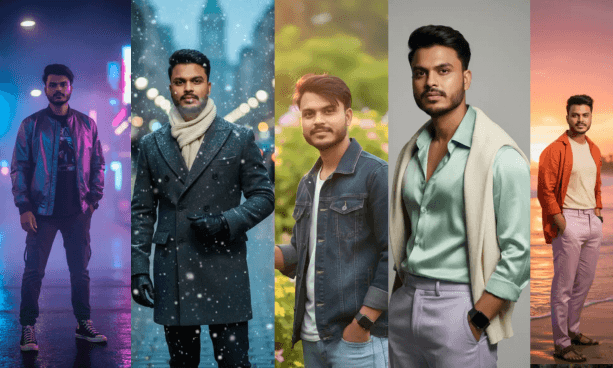
If you’re serious about creating high-quality, cinematic, or influencer-grade visuals, mastering AI photo editing prompts is the key. These prompts can transform ordinary selfies or model shots into magazine-level visuals — whether you’re using Google Gemini, Midjourney, Leonardo AI, or DALL·E.
In this guide from AI Editing Prompt, you’ll learn what AI photo editing prompts are, how to write them like a pro, and get 50 + copy-ready prompt ideas for your next project.
What Are AI Photo Editing Prompts?
AI photo editing prompts are text instructions given to an AI image generator that define the subject, style, lighting, and overall vibe of your image.
Think of them as your creative director’s script — the better you describe, the better your AI creates.
How Prompts Guide AI Results
Each part of your text prompt shapes a specific visual element:
- Subject: Defines the main person or object.
- Style: Tells AI if it should look cinematic, fashion, vintage, or artistic.
- Lighting: Natural, studio, golden hour, or dramatic.
- Camera type: DSLR, 8K, Cinematic, etc.
Why They Matter for Professionals
High-end creators and influencers use AI prompts to:
✅ Generate consistent brand aesthetics.
✅ Save editing time while keeping photo realism.
✅ Produce campaign-ready images for social media.
How to Write Perfect AI Photo Editing Prompts
Professional-grade AI results need precision. Use this simple yet powerful formula:
Subject + Scene + Lighting + Style + Camera Type
Example:
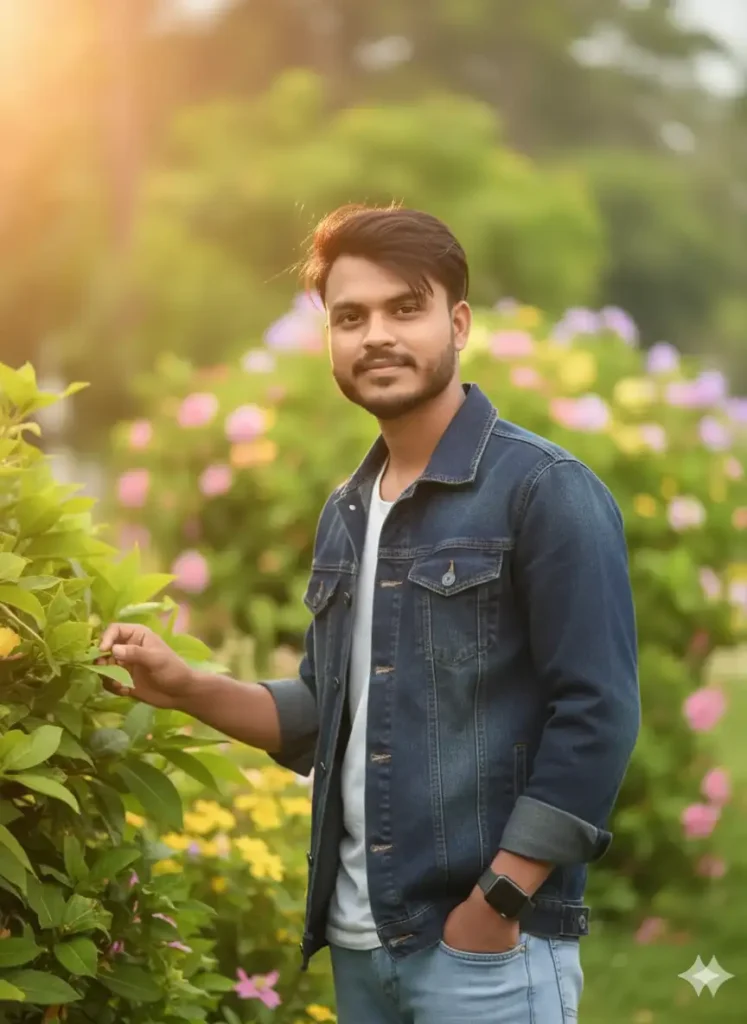
“Young man posing under golden hour light, cinematic portrait style, 8K DSLR bokeh background, natural warm tones, confident expression.”
Pro Tips for Better Prompts
- Add emotion (“confident,” “calm,” “mysterious”) to bring life.
- Specify lens type (35 mm portrait lens look).
- Use color tones (warm, moody, cold).
- Mention style influence (“inspired by Vogue,” “cinematic lighting”).
50 + Best AI Photo Editing Prompts (Ready to Use)
Here are hand-picked, high-converting AI photo editing prompts tested by professionals and trending on Instagram in 2025:
These are 10 best Examples
🔥 Top 10 Long & High-Quality AI Photo Editing Prompts
1. Golden Hour Portrait Magic
2. Urban Night Glow (Street Style)
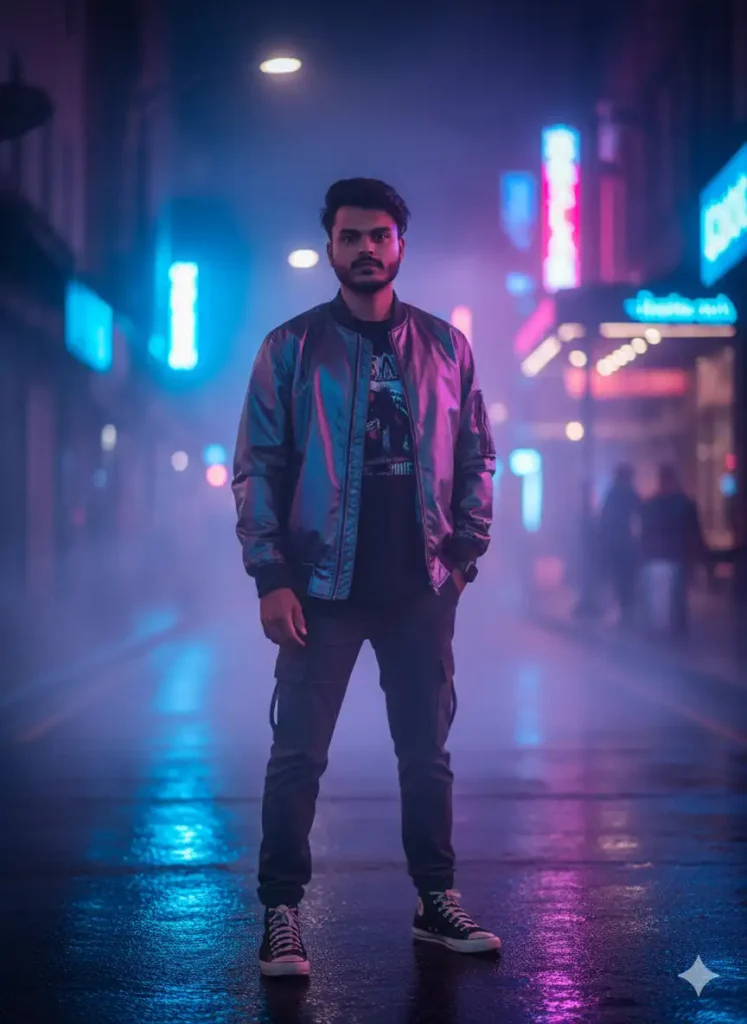
[copy_prompt][/copy_prompt]
3. Studio Editorial Look
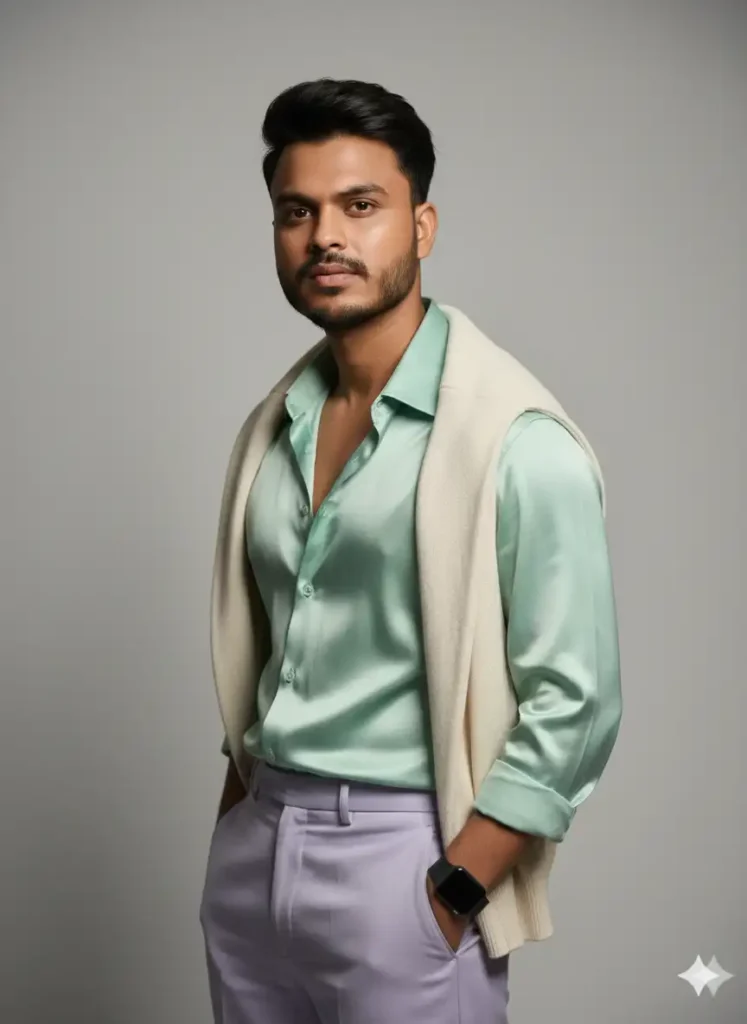
[copy_prompt]Generate a fashion editorial-style studio portrait with professional lighting setup. Sharp front light and soft side shadows, neutral background, luxury outfit in pastel tones, high-end makeup, DSLR depth with 85mm lens blur, glossy skin tone, natural facial texture, confident model expression, inspired by Vogue magazine beauty shoot.[/copy_prompt]
4. Ocean Sunset Aesthetic
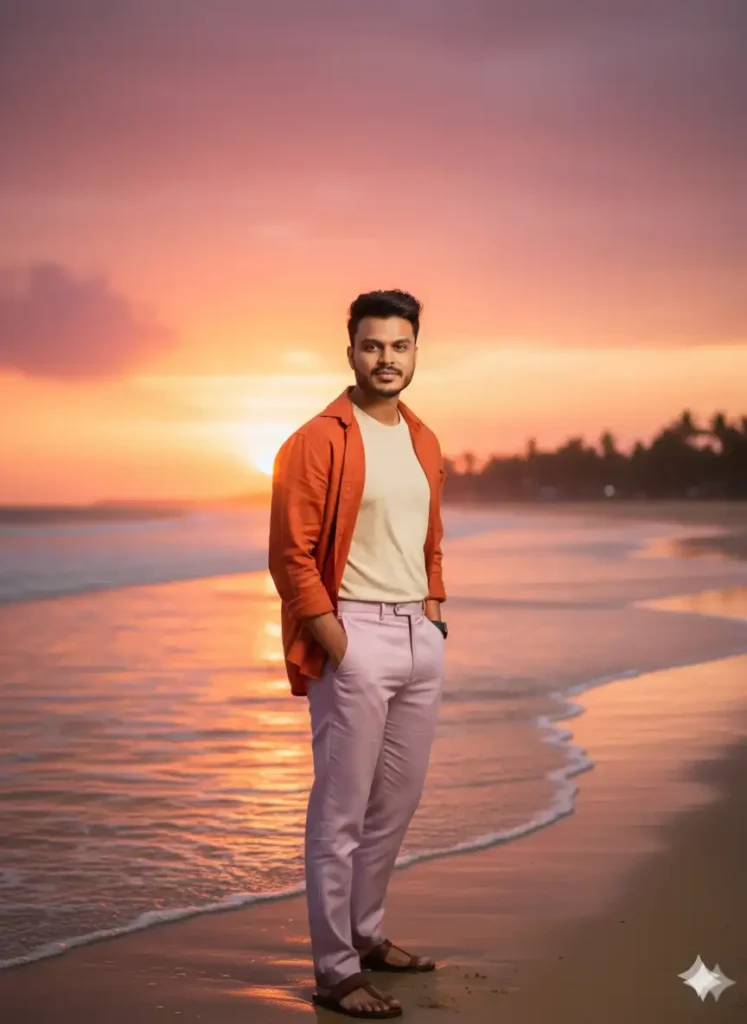
[copy_prompt]Uploaded full-body image with perfect face match. Create a cinematic beachside portrait during sunset, orange and pink sky tones, sunlight reflection on waves, light breeze effect on hair, DSLR 8K sharpness, cinematic color grade, soft smile, elegant pose, outfit matching the sunset vibe, dreamy Instagram influencer aesthetic.[/copy_prompt]
5. Winter Street Editorial
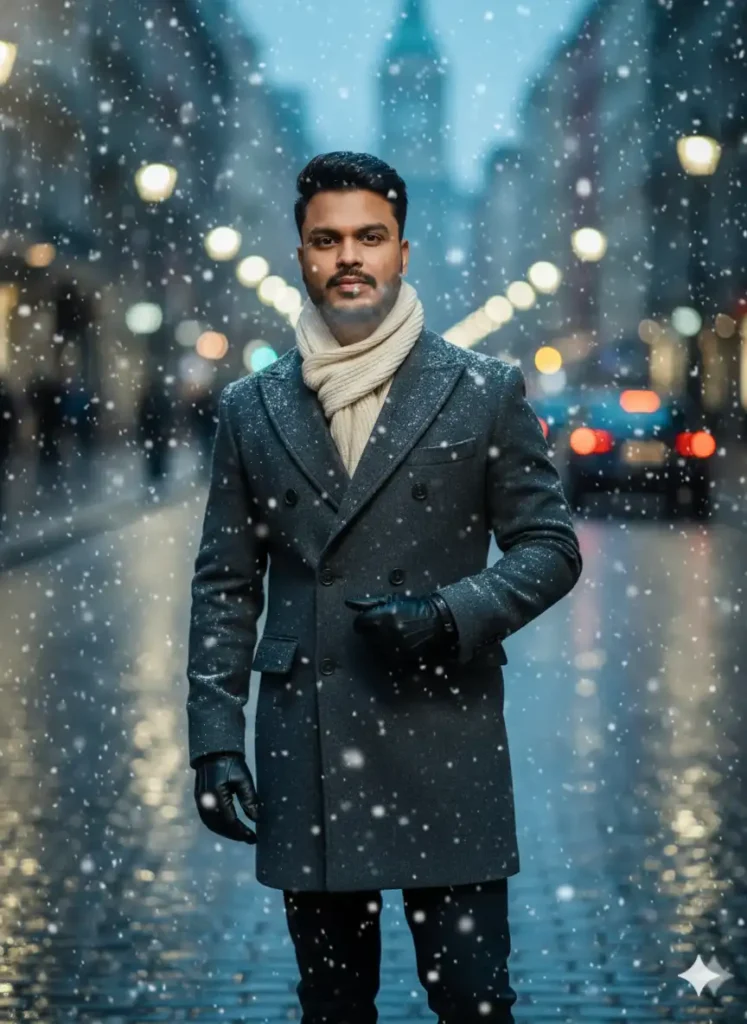
[copy_prompt]Create a fashion-inspired winter street portrait with snow falling around, model wearing wool coat and scarf, realistic cold tone lighting, visible breath vapor, DSLR 8K detail, cinematic lighting reflection on snowflakes, blurred city background lights, confident yet calm expression, inspired by European street fashion editorials.[/copy_prompt]
6. Luxury Lifestyle Shoot
[copy_prompt]Uploaded face image with natural pose. Generate a luxury lifestyle portrait near a premium car at night, illuminated by warm street lights, elegant outfit with gold accessories, cinematic background blur, DSLR lens clarity, subtle glow on skin, confident and stylish pose, inspired by influencer lifestyle photography in Dubai streets.[/copy_prompt]
7. Artistic Mirror Reflection
[copy_prompt]Create an artistic cinematic portrait showing subject sitting beside a mirror, golden-hour light entering from window, realistic reflection visible, soft bokeh background, slightly desaturated tones, DSLR shallow depth of field, elegant expression, modern aesthetic photography vibe, inspired by Pinterest art portraits.[/copy_prompt]
8. Forest Dream Portrait
[copy_prompt]Generate an outdoor cinematic portrait in a dense forest during early morning. Mist in background, soft sunlight filtering through trees, DSLR lens focus on face, natural tones, detailed texture on hair and outfit, calm and peaceful facial expression, inspired by fantasy movie-style portrait photography.[/copy_prompt]
9. Neon Cyberpunk Aesthetic
[copy_prompt]Create a futuristic cyberpunk portrait surrounded by glowing neon blue and red lights. Background of rainy city street, cinematic lighting contrast on face, subtle reflections on glass, 8K DSLR sharpness, glossy jacket and confident pose, sci-fi atmosphere, inspired by Blade Runner style cinematography.[/copy_prompt]
10. Vintage Black & White Classic
[copy_prompt]Uploaded portrait photo. Turn into a timeless black and white cinematic image with dramatic light and shadows, 1950s Hollywood film style, strong contrast on cheekbones, soft film grain, side-lighting from a single lamp, DSLR 8K clarity, elegant expression, inspired by old-school portrait photography.[/copy_prompt]
Best AI Tools for Photo Editing Prompts (2025 Updated)
Professionals rely on these AI tools for quality control, speed, and precision:
- Google Gemini: Perfect for lifelike portraits.
- Midjourney V6: Cinematic and fashion-style master.
- Leonardo AI: Best for realistic skin and texture details.
- ChatGPT + DALL·E 3: Excellent for creative compositions.
- Fotor / Hypic / Pixlr: Quick mobile photo edit solutions.
👉 Explore full tool list on AI Editing Prompt Tools Section
Trending AI Photo Editing Prompts for Instagram (Viral Ideas)
Stay ahead of trends and boost your reach with these styles:
- “Aesthetic mirror selfie in natural light.”
- “Couple AI portrait in Santorini, warm tones, Instagram look.”
- “Luxury travel pose in Dubai skyline with sunset lighting.”
- “AI-generated fashion lookbook inspired by magazine covers.”
💡 Pro Tip: Add #AIEdited and tag @aieditingprompt to get featured!
Common Mistakes to Avoid When Using AI Photo Editing Prompts
- Using generic descriptions like “good photo” or “nice look.”
- Ignoring lighting — AI needs direction for depth.
- Mixing contradictory styles (“realistic + cartoon”).
- Forgetting camera type — use “DSLR,” “35 mm,” etc.
Future of AI Photo Editing Prompts (2025 – 2030)
The next wave of AI photo editing will include:
- Real-time AI edits integrated with mobile cameras.
- Auto-prompt generation based on user style.
- Personalized AI models trained on your own photos.
AI is not replacing creativity — it’s amplifying it.
FAQs About AI Photo Editing Prompts
Q1. Which AI tool is best for photo editing prompts?
➡ Google Gemini and Leonardo AI are top choices for realistic human images.
Q2. Can I use these prompts for commercial work?
➡ Yes, but always check the AI tool’s usage license.
Q3. Do these prompts work for free AI apps?
➡ Absolutely. Platforms like Pixlr and Fotor offer free AI photo generation.
Q4. How do I make AI photos look more realistic?
➡ Add camera settings, lighting details, and skin texture keywords.
Final Thoughts — Master AI Photo Editing Prompts in 2025
Mastering AI photo editing prompts is not about copying lines — it’s about learning how text controls pixels.
Whether you’re a fashion creator, influencer, or professional editor, these prompts give you an edge in producing cinematic, high-quality visuals that capture attention.
👉 Try these prompts today, and explore more on AI Editing Prompt — your hub for AI photo editing ideas, Gemini AI prompts, and free AI tools.
