
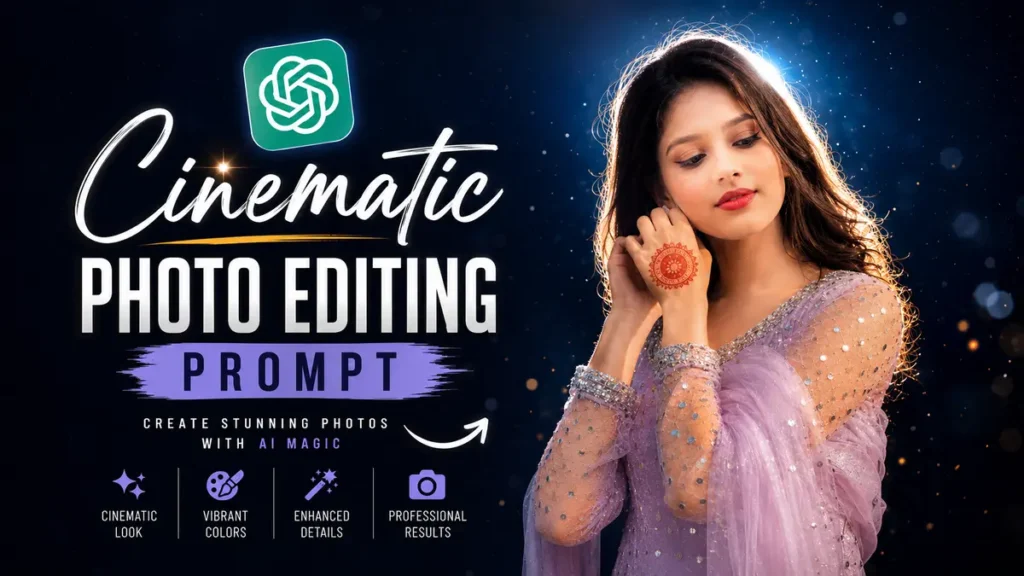
Trending Cinematic Potrait Photo Editing Prompt

Trending Cinematic Potrait Photo Editing Prompt 2026 | Viral AI Photo Editing Ideas

Trending Cinematic Potrait Photo Editing PromptAI photo editing ka trend ab social media par bahut fast grow kar raha hai. Instagram creators, YouTubers, aur influencers sab cinematic portrait edits use kar rahe hain because ye photos premium aur professional look dete hain. Aaj kal simple selfie bhi AI tools ki help se movie poster jaisi ban sakti hai. Isi wajah se log internet par best cinematic portrait prompts search kar rahe hain. Agar aap bhi viral aur stylish AI edits create karna chahte hain to ye article aapke liye perfect hai because yahan aapko complete information simple language me milegi.

Trending Cinematic Potrait Photo Editing Prompt

The Trending Cinematic Potrait Photo Editing Prompt ek special AI instruction hota hai jo normal photos ko cinematic style me convert karta hai. Is editing style me dramatic lighting, realistic shadows, sharp facial details, aur movie-type color grading use hoti hai. Isi reason ki wajah se ye prompts Instagram reels, thumbnails, aur profile photos ke liye bahut popular ho rahe hain. Aaj kal creators cinematic portrait prompts ka use karke apne social media posts ko unique aur eye-catching bana rahe hain.

1 : Trending Cinematic Potrait Photo Editing Prompt
resized image 36
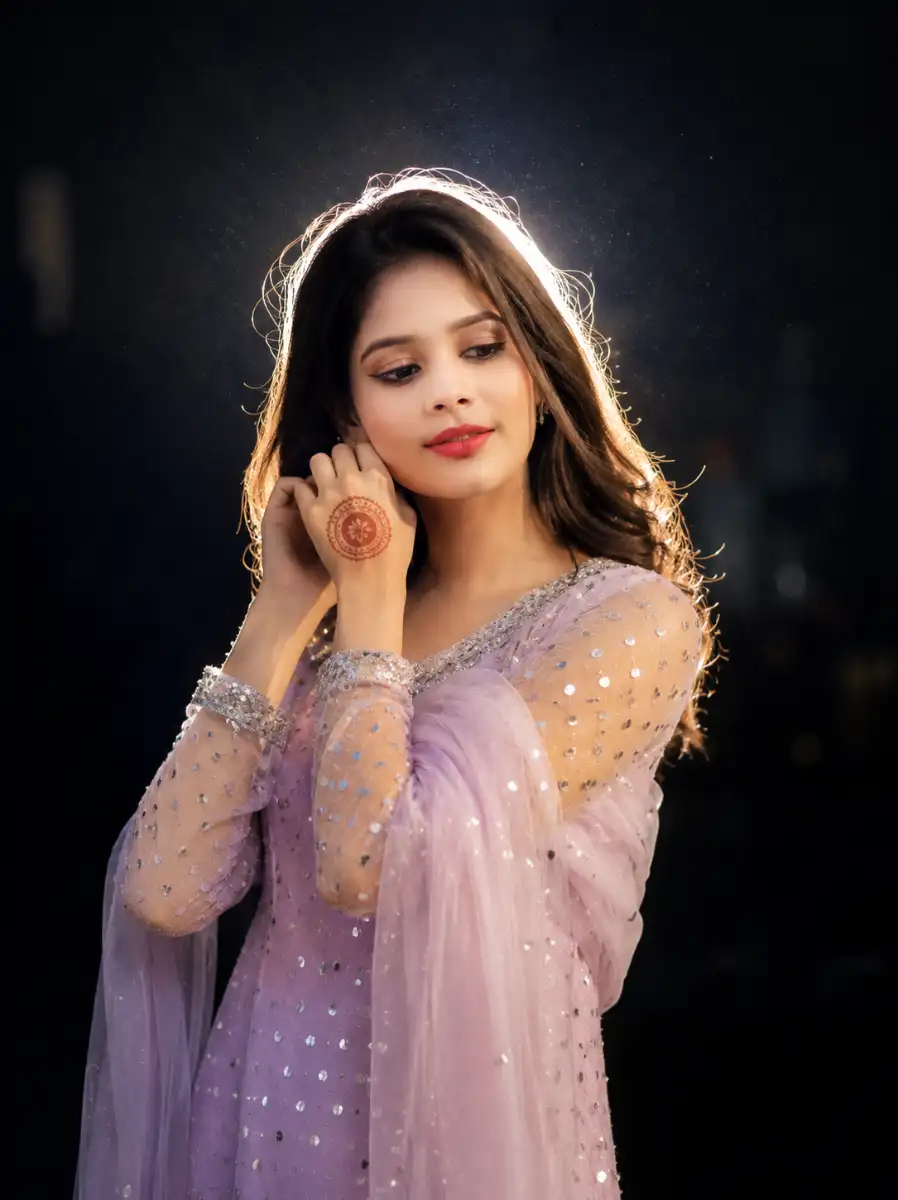
Ultra-detailed cinematic nighttime portrait of a person with perfect facial resemblance to the original image. Maintain the exact facial structure, hairstyle, outfit, natural expression, and authentic personality without adding extra accessories or changing the original appearance. Use dramatic flash lighting with a glowing white rim light around the hair and shoulders. Create a dark blue-black moody background with soft bokeh and atmospheric depth. Keep the skin texture highly realistic with sharp focus on the face and natural shadows. Add DSLR-style photography effects with shallow depth of field, cinematic color tones, and subtle floating particles for a premium visual feel. Ensure realistic lighting, ultra-sharp details, professional portrait composition, and 8K high-resolution quality while fully preserving the subject’s original identity and vibe.<br />

2 : Trending Cinematic Potrait Photo Editing Prompt
resized image 34
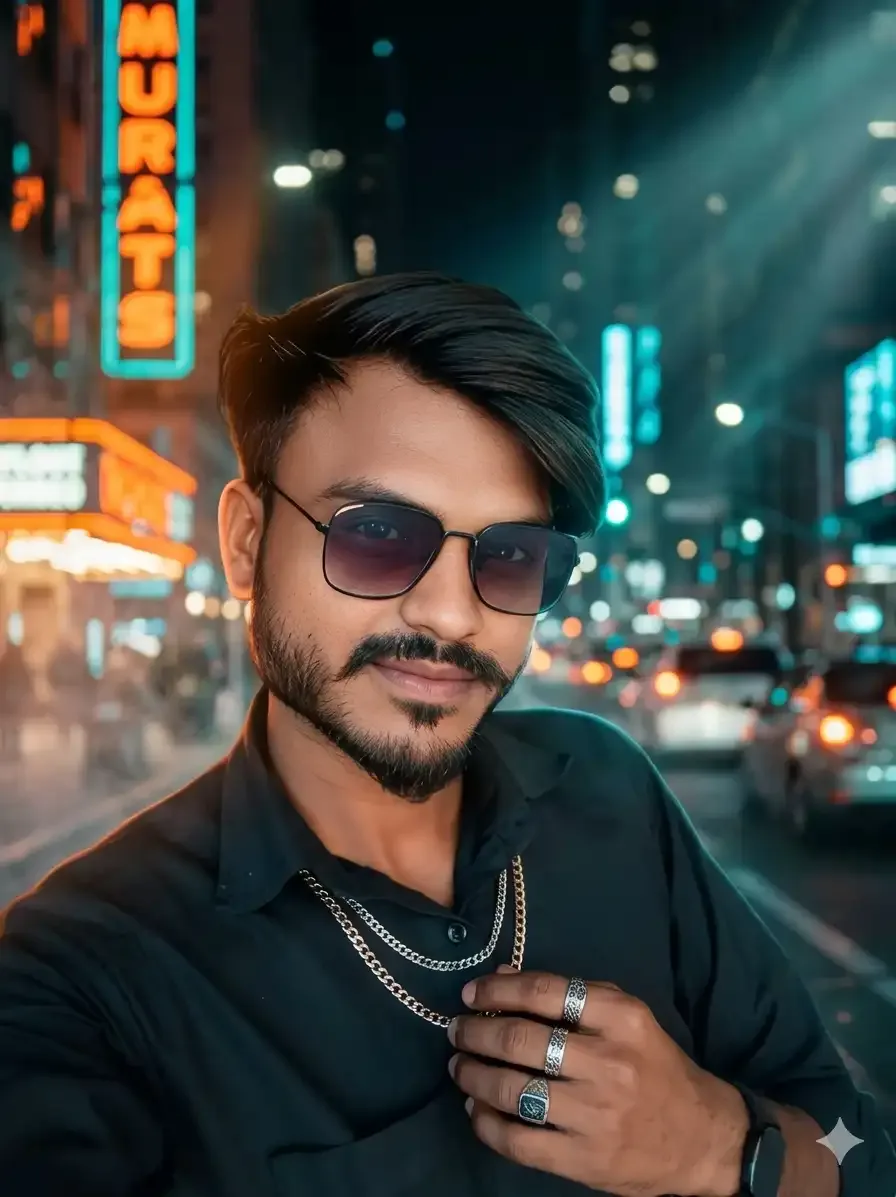
Generate a hyper-realistic cinematic portrait of a stylish young man confidently standing in a modern city setting during nighttime. Capture the subject with crystal-clear facial details, lifelike skin texture, natural hair strands, and expressive eyes in sharp focus. Use dramatic cinematic lighting with soft shadow transitions and a premium orange-teal movie color palette for a high-end visual look. Add blurred urban lights, glowing neon signs, and soft traffic reflections in the background to create a moody city atmosphere. Include realistic bokeh, volumetric light rays, and subtle smoke effects to enhance the cinematic depth. The subject should wear trendy layered streetwear with luxury-inspired accessories and a confident editorial pose. Shoot the scene with a professional DSLR-style 85mm lens effect featuring shallow depth of field, ultra-HD clarity, dynamic contrast, and realistic reflections. Maintain accurate body proportions and natural skin tones while delivering a photorealistic 8K masterpiece with premium fashion photography aesthetics and cinematic storytelling vibes.<br />

3 : Trending Cinematic Potrait Photo Editing Prompt
resized image 33
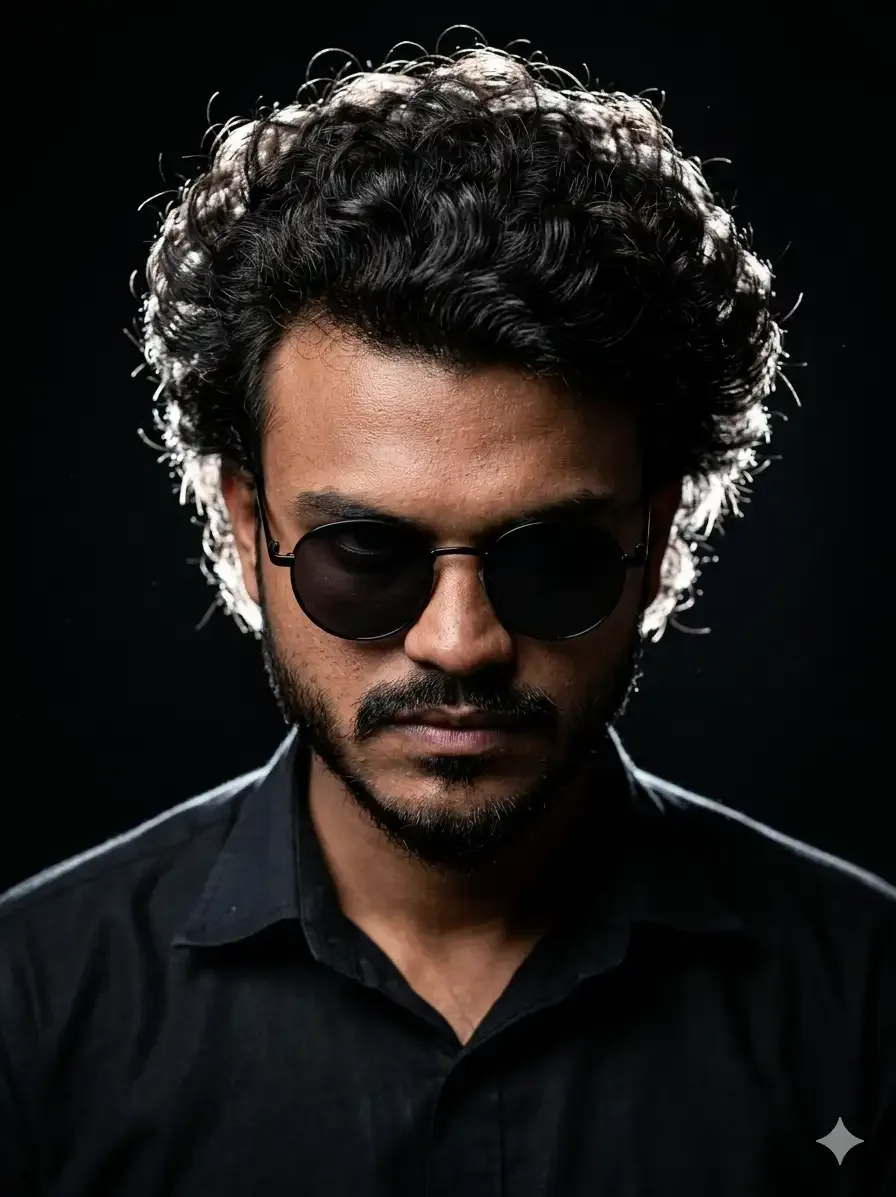
Create an ultra-realistic cinematic studio portrait of the exact same person from the reference image with complete facial identity preservation. Keep the original face shape, jawline, beard pattern, lips, nose structure, skin tone, hairstyle, and natural hair volume perfectly unchanged. The subject should face forward with the head slightly lowered and eyes looking downward, showing an intense serious expression with subtle anger. Dress the subject in a black shirt with stylish round black sunglasses. Use thick oversized curly hair enhanced with bright rim light accents around the edges. Apply dramatic low-key studio lighting with strong side rim illumination that defines the face and hair while maintaining deep cinematic shadows. Use a pure black background with a dark moody atmosphere and soft volumetric lighting effects. Keep the skin texture highly detailed with visible pores and realistic facial depth. Add shallow depth of field with a professional DSLR 82mm lens photography look and centered editorial composition. Use cinematic color grading, high contrast tones, ultra-sharp focus, and premium Instagram-style aesthetics. Ensure the portrait looks fully photorealistic in 8K quality while preserving the exact same natural identity without facial distortion or artificial changes.<br />

4 : Trending Cinematic Potrait Photo Editing Prompt
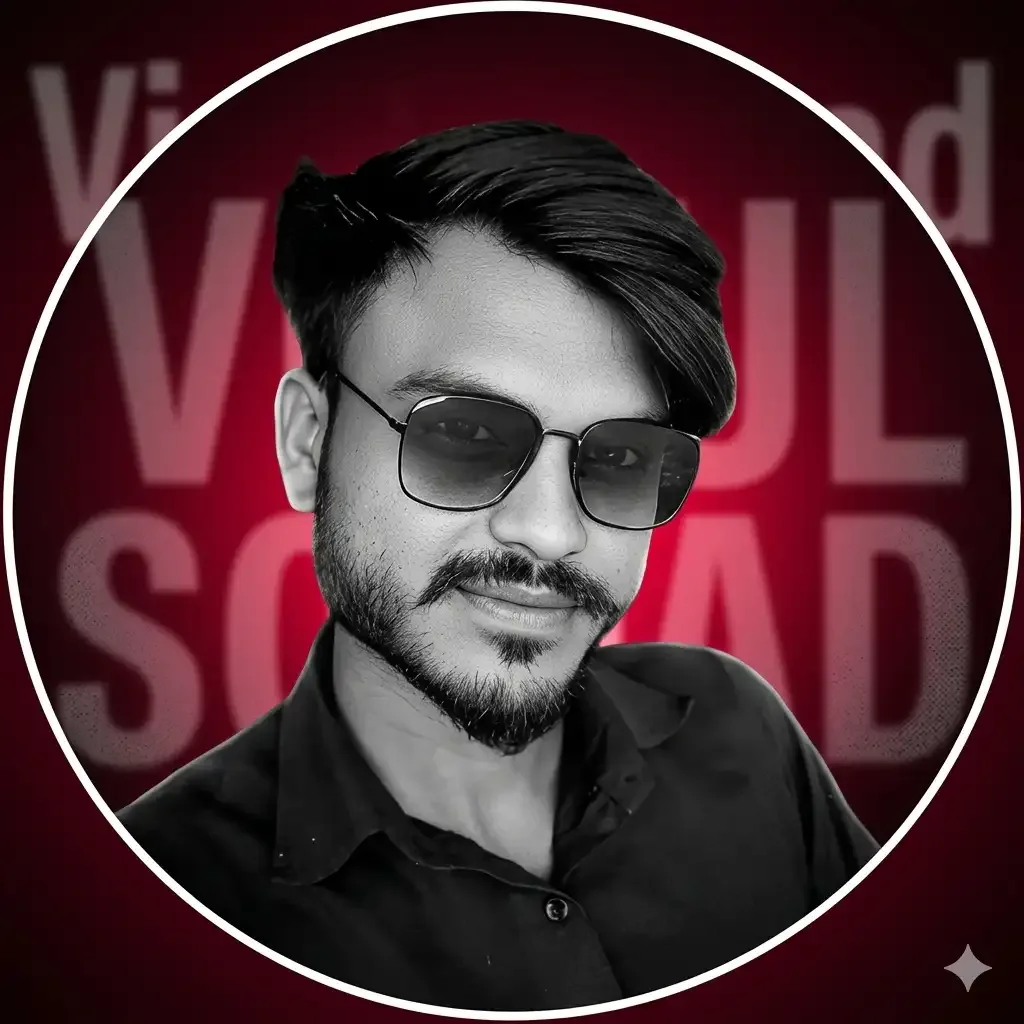
resized image 35
Create a highly realistic cinematic circular profile picture for a personal AI brand using the uploaded image as the only facial reference. Keep the subject’s identity completely unchanged by preserving the exact skull shape, jawline width, cheek structure, chin contour, nose shape, nostril size, lip form, eye spacing, eyebrow thickness, beard pattern, hairline, and all natural facial asymmetry. Maintain the original facial expression, front-facing head position with a subtle tilt, and the same eye direction. Preserve authentic skin texture with visible pores and natural tone variations without beauty smoothing, reshaping, artificial glow, or over-sharpening effects. Keep the hairstyle identical in volume, texture, lift, flow, and edge detailing while maintaining the original beard density and growth style. Dress the subject in a clean matte black high-neck zip jacket with a premium minimal appearance and no exaggerated textures. Use a professional studio lighting setup featuring a soft frontal key light combined with subtle rim lighting around the shoulders and hair for separation from the background. Maintain balanced shadows with controlled highlights for realistic depth. Apply high-contrast monochrome grading on the subject while preserving realistic grayscale skin tones. Design the background with a deep crimson radial glow fading into darker outer edges. Add large stretched “Vipul Squad” typography in the background with partial blur and partial obstruction behind the subject for a luxury brand feel. Include very soft digital grain, minimal halftone texture, and a faint red ambient glow around the silhouette. Add a thin clean white circular border surrounding the profile frame. Use a centered upper-body crop in a perfect 1:1 circular composition with DSLR-level realism, ultra-high detail, and a refined premium AI creator aesthetic. Avoid sunglasses, striped clothing, cartoon effects, or over-stylized poster elements to maintain a clean professional identity look.

Details Of Trending Cinematic Potrait Photo Editing Prompt

Ye cinematic portrait prompts normally detailed instructions ke sath likhe jate hain taki AI tool image ko perfectly understand kar sake. Prompt me lighting style, background effect, outfit details, camera angle, aur mood mention kiya jata hai. Example ke liye users neon lights, rainy streets, luxury backgrounds, aur DSLR photography effects add karte hain. Isi wajah se final image realistic aur high-quality look deti hai jo viewers ko instantly attract karti hai.

About This Editing

Cinematic portrait editing movie scenes aur professional photography se inspired editing style hai. Pehle users ko aise effects create karne ke liye Photoshop aur Lightroom me bahut time spend karna padta tha. Lekin ab AI tools ne editing process ko easy aur fast bana diya hai. Ab sirf ek strong prompt ki help se realistic cinematic portraits create kiye ja sakte hain. Isi wajah se beginners bhi easily premium AI edits bana pa rahe hain without advanced editing skills.

How To Create These Photos

Agar aap cinematic portrait photos create karna chahte hain to sabse pehle kisi good AI image tool ka use kare jaise ChatGPT, Gemini, Leonardo AI, ya Midjourney. Uske baad ek clear aur detailed cinematic prompt copy karke AI tool me paste kare. Prompt me lighting, background, facial expression, aur camera quality mention kare ya hamare copy paste prompt use kare taki better output mile. Image generate hone ke baad aap small touch-ups ke liye Hypic ya Lightroom jaisi apps bhi use kar sakte hain. Is process se aap easily professional cinematic portrait create kar sakte hain.

Tips for Better AI Photo Editing Results

Better cinematic AI photo results ke liye hamesha high-quality photo use kare because blurry photos realistic output nahi dete. Prompt likhte time ultra realistic, cinematic lighting, DSLR quality, aur shallow depth of field jaise keywords zarur add kare. Different styles jaise cyberpunk, golden hour, aur dark mood themes bhi try kare taki unique outputs mil sake. Over-editing avoid kare because natural cinematic look hi sabse zyada attractive lagta hai on social media platforms.

Conclusion

The Trending Cinematic Potrait Photo Editing Prompt social media creators ke liye ek powerful AI editing trend ban chuka hai. Ye prompts simple photos ko stylish aur movie-like portraits me convert kar dete hain within minutes. Agar aap Instagram ya YouTube par attractive content create karna chahte hain to cinematic AI prompts definitely try karne chahiye. Future me AI editing aur bhi advanced hone wali hai isliye cinematic portrait editing ka trend aur zyada popular hoga.

Frequently Asked Questions

What is a cinematic portrait photo editing prompt?

Cinematic portrait photo editing prompt ek AI text instruction hota hai jo movie-style realistic portrait images create karne ke liye use kiya jata hai.

Which AI tools are best for cinematic portrait editing?

ChatGPT, Gemini, Midjourney, Leonardo AI, aur Bing Image Creator cinematic portrait editing ke liye best AI tools mane jate hain.

Can beginners create cinematic AI portraits?

Yes beginners bhi ready-made prompts ki help se easily cinematic AI portraits create kar sakte hain without professional editing skills.

Why are cinematic portrait edits trending?

Cinematic portrait edits trending hain because ye photos professional, stylish, aur visually attractive lagte hain on Instagram and YouTube.

How can I improve my AI cinematic portraits?

Aap detailed prompts, realistic keywords, aur high-quality images use karke cinematic portrait quality improve kar sakte hain.

Scroll to Top